


Share your live location on a device by using the Google Maps "Location sharing" feature. This Google map location feature lets you share your live location with anyone in your contacts list. You can share your android phone location with contacts who have Google accounts, as well as those who don't. the most important thing is that You can share your location with any of your contacts or love ones, but sometimes the process is a little bit different depending on whether, and also your contact having a Google account have or not.
1. If the person has a Google account
1. Open the Google Maps app on your Android device. If you haven't already done so, log into your Google account.
2. Tap the icon resembling three vertical lines, located in the upper-left corner of the screen, to open the menu.
3. Tap on "Location sharing."
4. Tap "Get started."
5. Select the amount of time for which you want to share your location. You can set a specific number of hours by tapping the + and - buttons, or tap "Until you turn this off" to keep location sharing on indefinitely.
6. Tap on the contact(s) with whom you want to share your location, and then tap "Share."
2. If your person doesn't have a Google account
1. Swipe through your contacts until you reach the icon labeled "More." Tap "More."
2. Tap "Copy to clipboard."
3. Tap on the paperclip icon located alongside your profile's avatar.
4. Tap on the link that appears in the middle of the screen. This will copy it, so you can paste it anywhere.
5. Share the link with your contact via the messaging app of your choice or email.
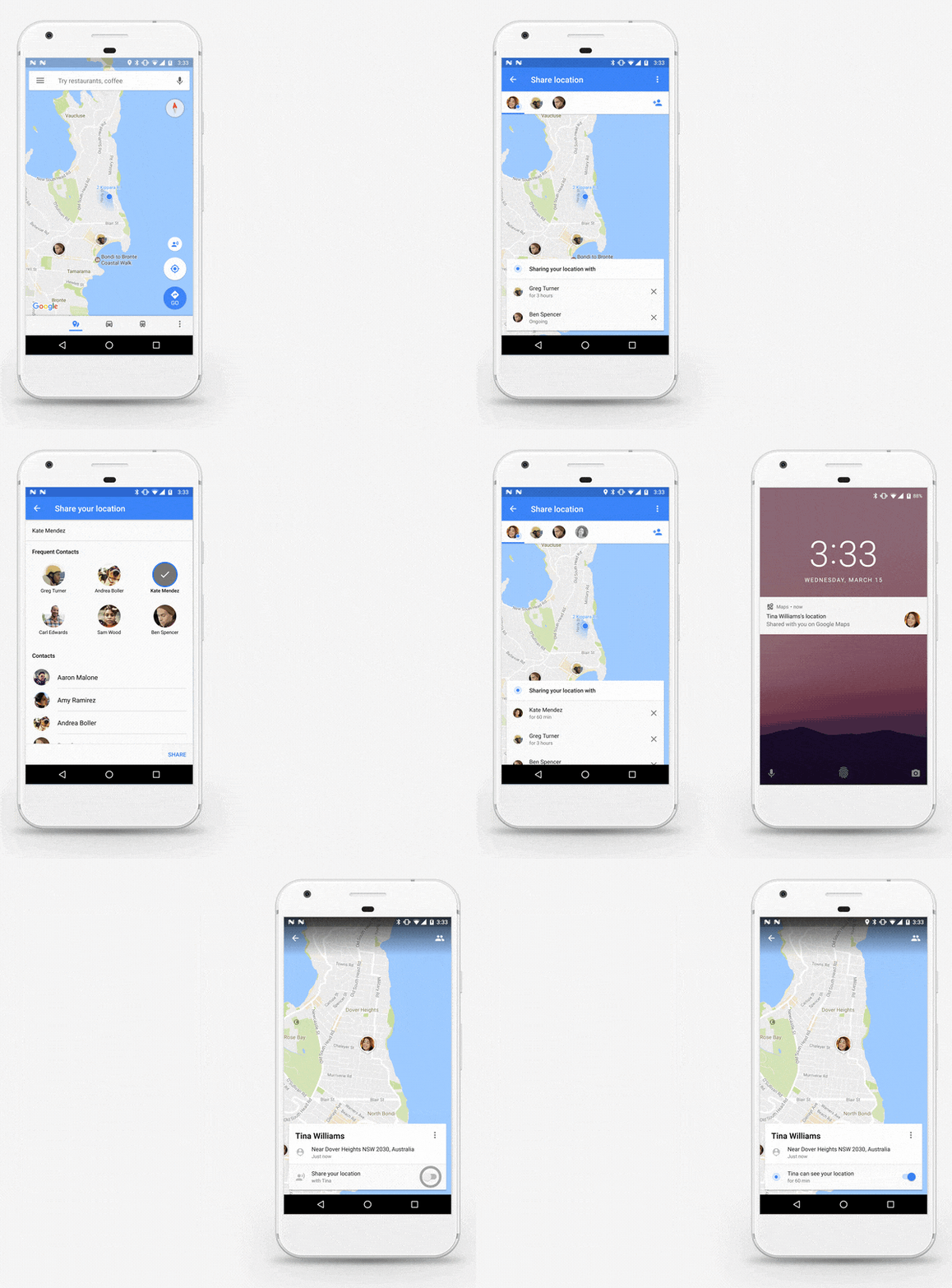
3. Stop Sharing Your Live Location
1. On your Android phone or tablet, open the Google Maps app.
2. Tap your profile picture or initial Location sharing.
3. Tap the profile of the person you don’t want to share your location with anymore.
4. Tap Stop.
When you have location turned on for your device, you can get on its live location, like shops, nearby restaurants, and better local search results. and When an app is using your device location via GPS, the top of your screen shows Location, When you turn off location for your phone, apps, and services will not be able to get your phone’s location, but at that time you get the last location on your phone. Google maps will let you tell your friends where you are and give them directions to your location. if those don’t have Google maps account they can share through a short link via SMS.


